

If you’re running an online store and using Google Merchant Center (GMC) to showcase your products, you already know the power it has to boost your visibility on Google. From appearing in Google Shopping ads to being found in organic search results, GMC plays a vital role in your online marketing strategy. However, many users, especially newcomers, can make simple mistakes that can hinder the effectiveness of their GMC campaigns. To help you out, we’ve put together a list of common mistakes to avoid, along with tips on how to steer clear of them and get the most out of Google Merchant Center.
1. Incorrect Product Feed Setup
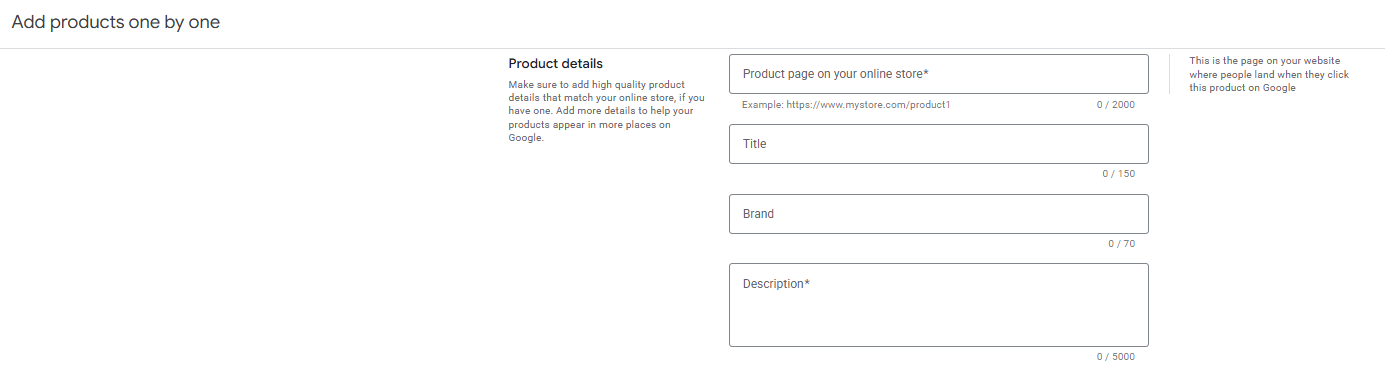
Your product feed is the backbone of your Google Merchant Center account. It’s where Google gets all the information about your products, like titles, descriptions, prices, and images. One of the most common mistakes is submitting an incomplete or inaccurate product feed. If the data isn’t correct, Google won’t be able to show your products properly in search results.
How to Avoid This Mistake:
- Double-check your product details: Make sure your titles, descriptions, and prices match what’s on your website. Any discrepancies could lead to disapproved products or a poor user experience.
- Use a reliable feed management tool: There are many tools available that can help automate and simplify the feed creation process. This reduces the chances of human error.
- Regularly update your feed: If your inventory changes or prices fluctuate, ensure your feed is updated in real-time. Outdated data can lead to missed opportunities or penalties.
2. Not Using High-Quality Product Images
Google requires high-quality product images that showcase your items clearly. Low-quality images (such as blurry or poorly lit photos) can negatively affect your ad performance and lead to disapproved products. This is one mistake that can be easily avoided with just a little attention to detail.
How to Avoid This Mistake:
- Follow Google’s image guidelines: Make sure your images are clear, well-lit, and show the product from multiple angles. Google recommends using images that are at least 100 x 100 pixels for non-apparel products and 250 x 250 pixels for apparel items.
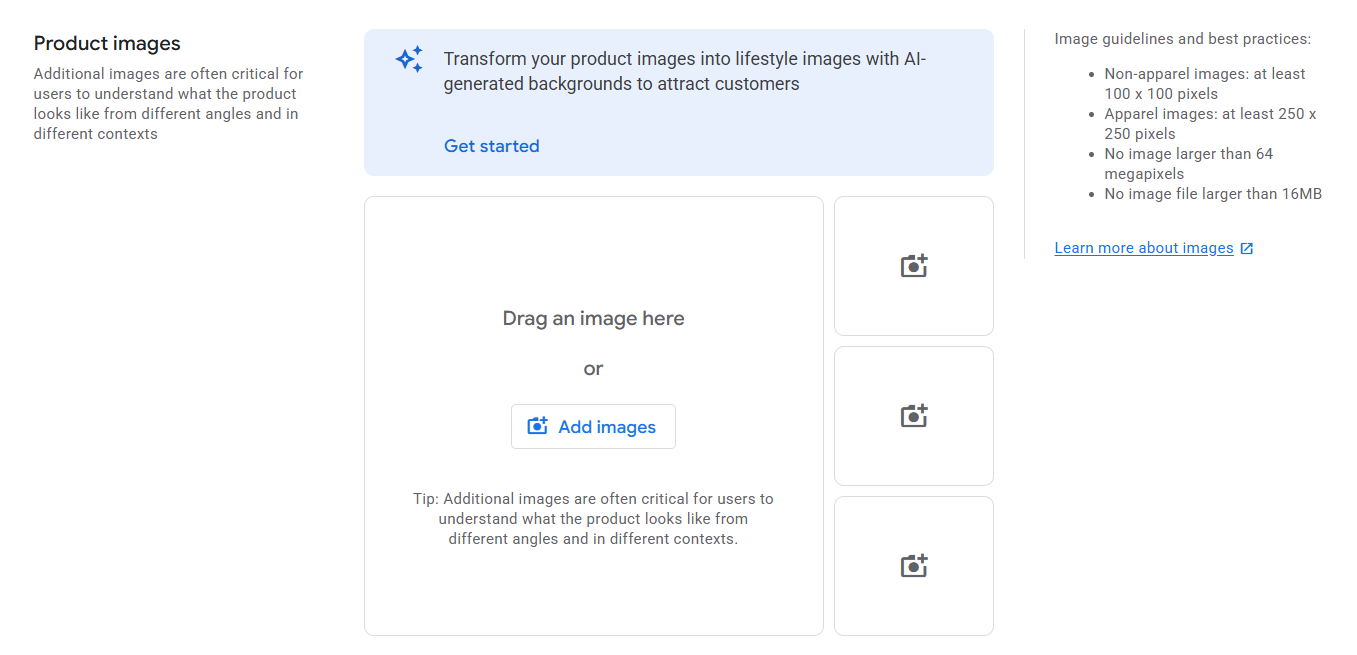
- Use high-resolution images: Google will reject images that are too small or pixelated. Make sure your product images are at least 800 x 800 pixels to get the best results.
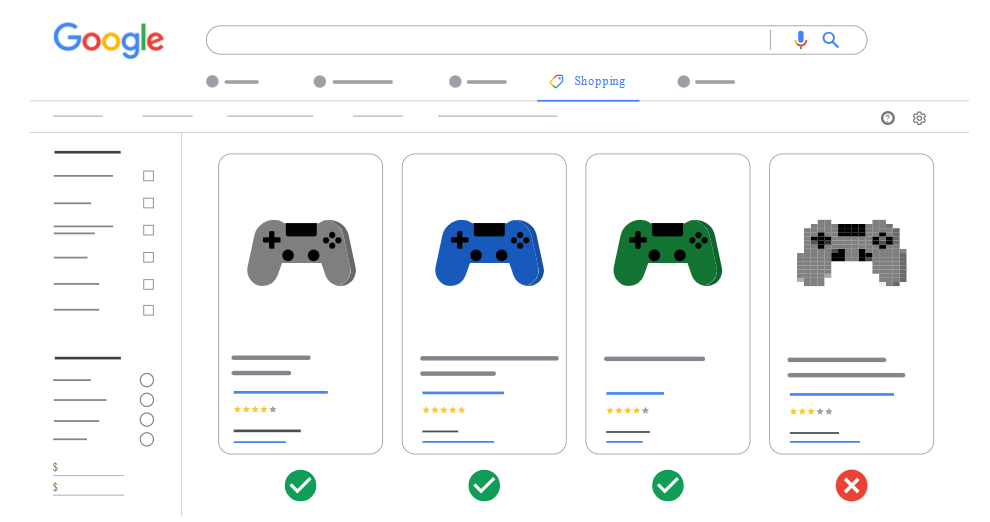
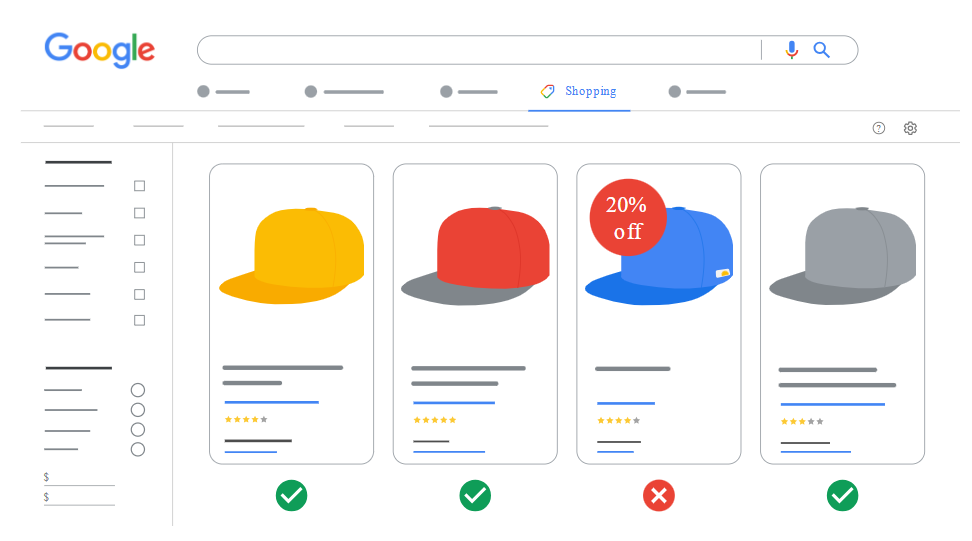
- Avoid watermarks or promotional text: Your product image should focus on the product itself, with no distracting text or logos.
3. Not Specifying Correct Shipping Information
Shipping costs can play a big role in the buying decision for your customers. If your shipping information isn’t accurate or doesn’t align with what’s shown on your website, Google may disapprove your product listings or your account may get suspended.
How to Avoid This Mistake:
- Be accurate with shipping rates: Ensure your shipping fees are clearly stated in your Merchant Center account. Google allows you to set shipping rates by region or use the “Shipping Rules” feature to specify different shipping methods and prices.
- Use Google’s “Shipping Services”: Google also offers the option to integrate with third-party shipping carriers (such as UPS or FedEx). This ensures that shipping rates are consistent between your site and the Google Shopping ads.
- Keep shipping information updated: Changes in your shipping policies (like shipping holidays, delays, or new shipping fees) should be reflected in both your Merchant Center and your website.
4. Ignoring Product Categorization
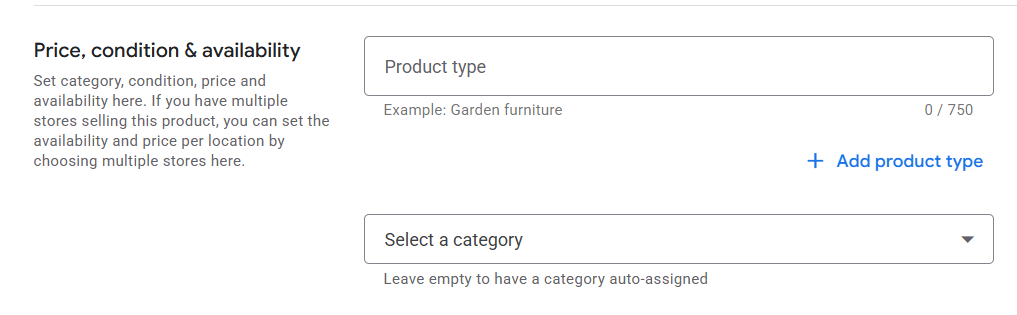
Google Merchant Center allows you to categorize your products to make them easier for customers to find. However, a lot of merchants neglect this step or pick incorrect categories. This can result in your products not showing up for relevant searches or even getting disapproved.
How to Avoid This Mistake:
- Choose the right Google product categories: Google offers a predefined list of product categories. Make sure your products are assigned to the most accurate category for better visibility. This helps Google match your products with relevant search queries.
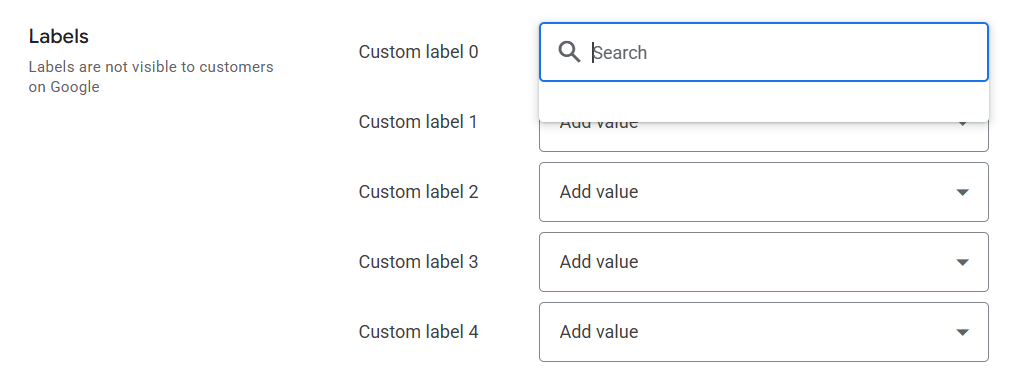
- Use custom labels for better organization: Custom labels allow you to segment your products in different ways (e.g., by season, price range, or best sellers). This can improve your performance in Google Shopping campaigns.
5. Not Setting Up Conversion Tracking
If you’re spending money on Google Shopping ads, it’s essential to measure how well your ads are performing. Without conversion tracking, you won’t be able to see if your ads are generating sales or leading to other desired actions (like filling out a contact form). Not setting this up can result in wasted ad spend.
How to Avoid This Mistake:
- Set up conversion tracking in Google Ads: Link your Google Merchant Center account to Google Ads and ensure conversion tracking is enabled. This will help you track the actions people take after clicking on your ads, allowing you to measure the ROI of your campaigns.
- Use Google Analytics: For more detailed insights, connect Google Analytics with your Merchant Center and Google Ads accounts. This will help you track user behavior on your site, including the number of product views, add-to-cart actions, and purchases.
6. Ignoring the Policy Guidelines
Google has strict policies regarding what products can be sold through Google Merchant Center. If you’re selling restricted or prohibited items (like counterfeit goods, alcohol, or tobacco), your account will be suspended. Ignoring these policies is a common mistake, and it can lead to serious consequences.
How to Avoid This Mistake:
- Read Google’s policies: Familiarize yourself with Google’s Merchant Center policies and make sure your products comply with them. This includes product content, imagery, and legal requirements.
- Regularly check for policy updates: Google updates its policies from time to time. Make sure you’re aware of any changes to stay compliant and avoid accidental violations.
7. Not Taking Advantage of Promotions and Reviews
Google Merchant Center allows you to include promotions and customer reviews to improve the attractiveness of your listings. Many merchants don’t take full advantage of these features, missing out on opportunities to boost their visibility and trustworthiness.
How to Avoid This Mistake:
- Add promotions: Google allows you to display special offers (like discounts, free shipping, etc.) on your product listings. This can give your products a competitive edge.
- Collect customer reviews: Product reviews are powerful tools for building trust. Consider asking customers for reviews, and ensure that they are displayed in your product listings.
Conclusion
Google Merchant Center is a fantastic tool for driving more traffic and sales to your online store, but only if you’re using it correctly. By avoiding these common mistakes—like incorrect product feeds, poor image quality, inaccurate shipping info, and ignoring conversion tracking—you can optimize your account for success. By staying proactive and keeping your Merchant Center account in tip-top shape, you’ll be well on your way to driving more sales and growing your business.