

Google Analytics is an essential tool for marketers looking to understand their website’s performance, track user behavior, and refine their strategies. With the vast amount of data it provides, it can be overwhelming at first, but once you know which reports to focus on, it becomes much easier to extract actionable insights.
In this article, we’ll break down the top Google Analytics reports that every marketer should keep an eye on to make data-driven decisions and improve their marketing efforts.
1. Audience Overview Report
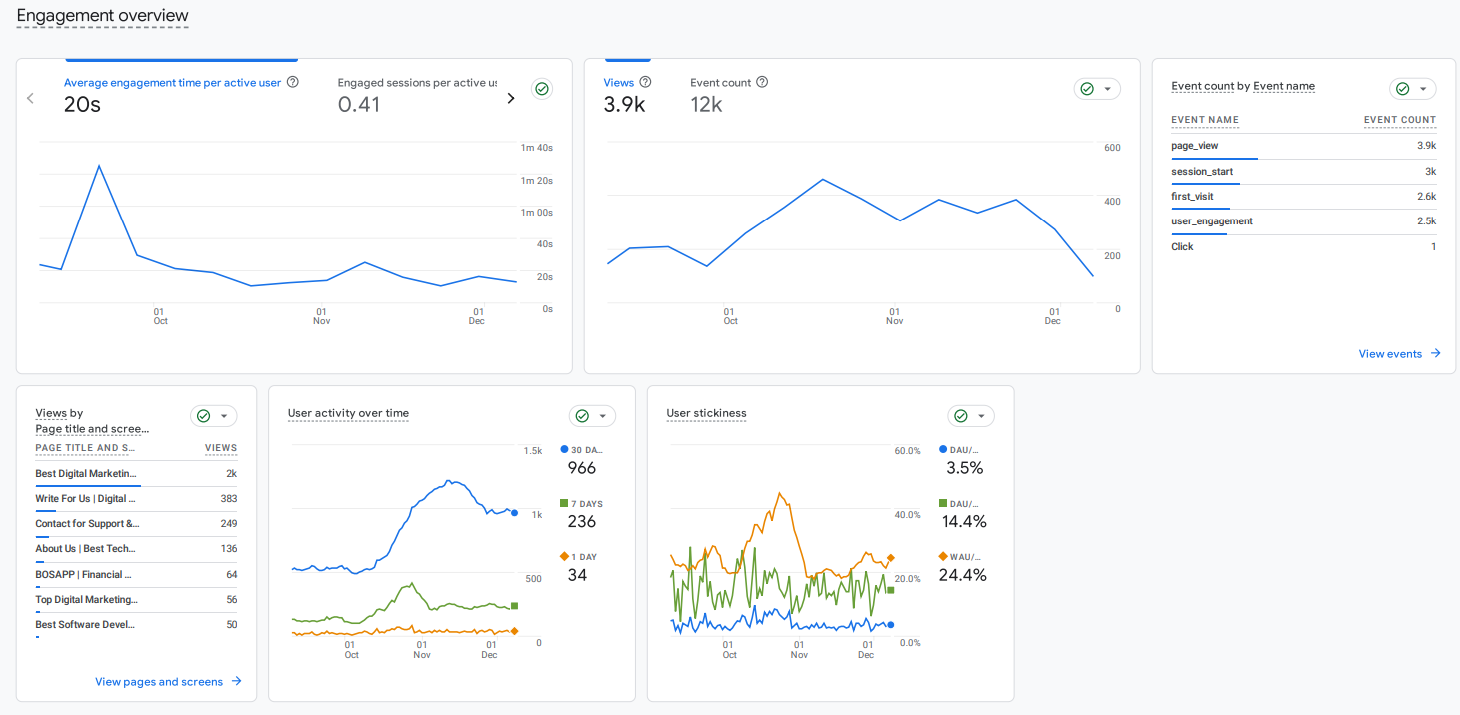
One of the most important reports for any marketer is the Audience Overview. This report gives a snapshot of who’s visiting your website, including metrics like the number of users, sessions, page views, and bounce rate. It also shows the average session duration and the number of pages visitors are exploring.
Why it’s useful:
- Understand Your Traffic: Get a clear idea of how many people are visiting your site.
- Track Trends: See if your traffic is increasing or declining over time, and identify any patterns.
- Measure Engagement: Metrics like average session duration and pages per session help you gauge user interest and engagement.
In Google Analytics 4 (GA4), the Audience Overview is available under:
Reports > Life Cycle > Engagement > Overview
2. Acquisition Report
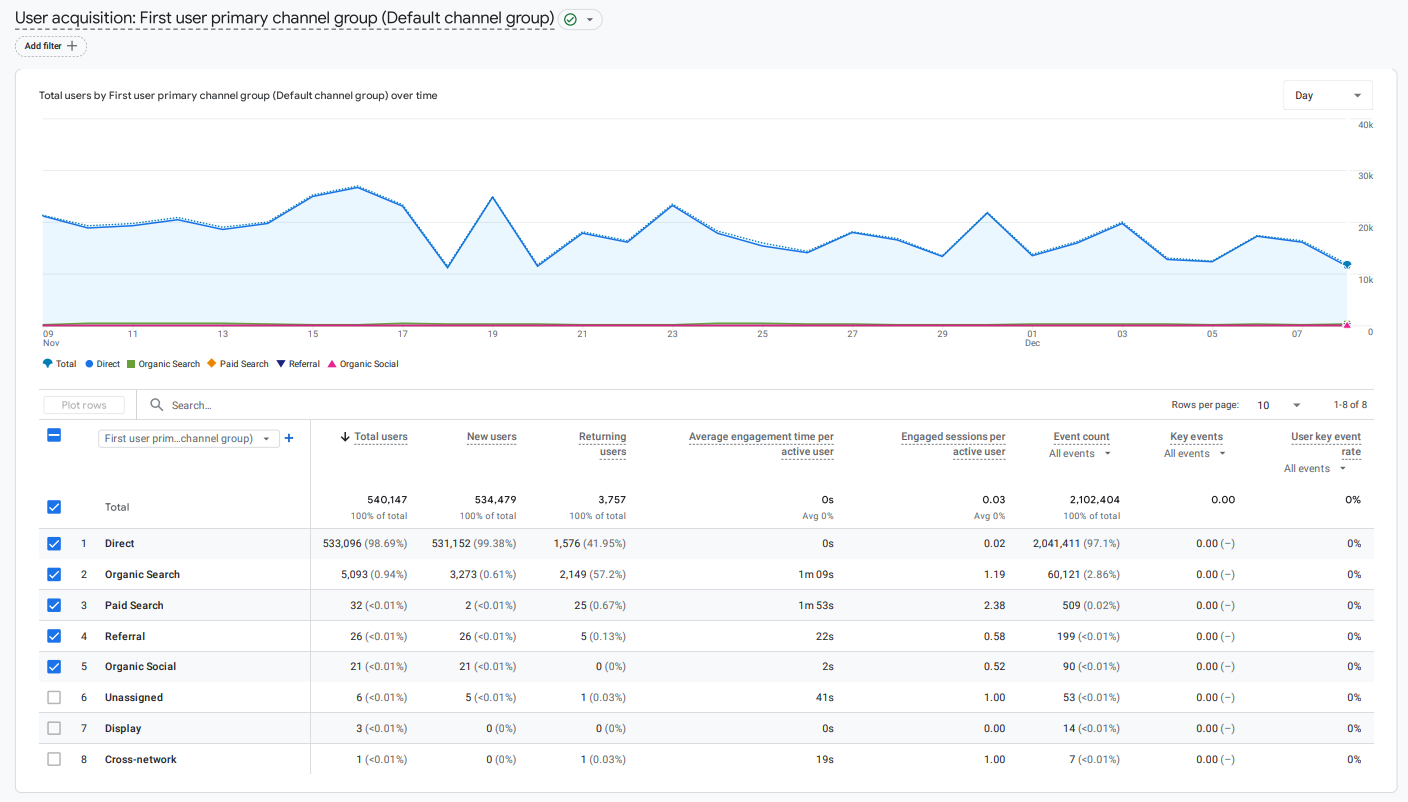
The Acquisition Report helps marketers understand where their website traffic is coming from. This includes channels like organic search, paid search, social media, direct visits, and referral traffic. By understanding where users are coming from, you can identify the most successful marketing channels and allocate your resources accordingly.
Why it’s useful:
- Identify Successful Channels: See which channels are driving the most traffic to your site.
- Optimize Marketing Spend: Focus more on the channels that are delivering results and adjust your strategies for underperforming channels.
- Track Campaign Performance: If you’re running paid campaigns, you can measure their effectiveness here.
For GA4, the Acquisition report is now located under:
Reports > Life Cycle > Acquisition > User Acquisition (for new users) or User Acquisition > Traffic Acquisition (for overall traffic)
3. Behavior Flow Report
The Behavior Flow report is like a visual map that shows how users move through your website. It tracks the path visitors take from page to page and highlights where they drop off or exit the site. Understanding this flow is crucial for optimizing the user journey and making sure people are moving in the right direction.
Why it’s useful:
- Optimize the User Journey: Identify where users are dropping off or getting stuck, and improve these areas.
- Improve Conversion Paths: Understand which pages are leading to conversions and which ones might need improvement.
- See Popular Content: Track which pages are the most engaging, helping you decide what to focus on or promote more.
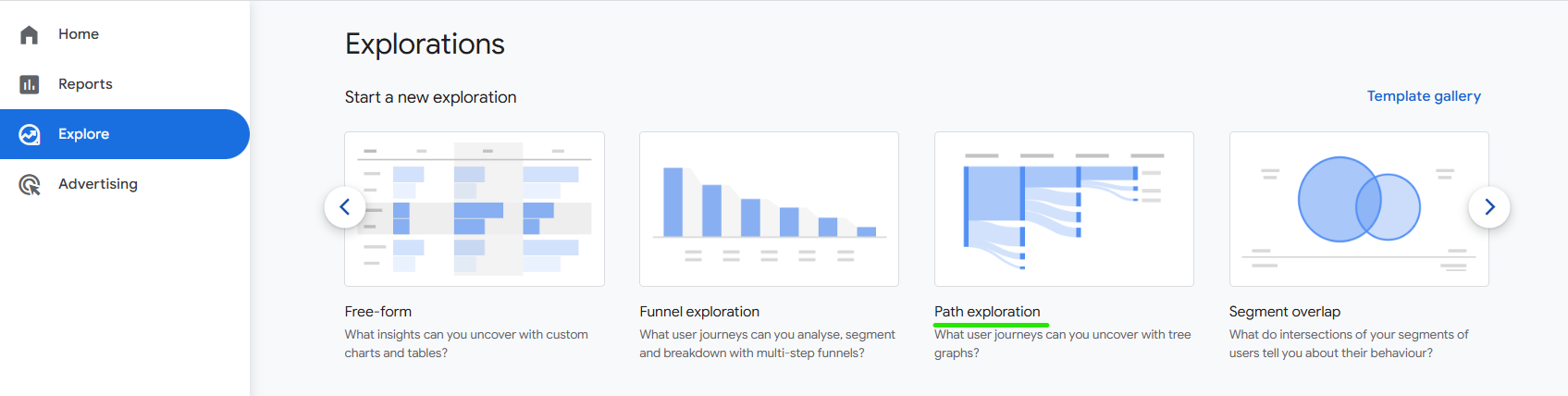
The Behavior Flow report is no longer available in GA4 in the same way it was in Universal Analytics. Instead, GA4 uses Explorations to provide custom reports that can replicate the behavior flow with more flexibility.
To create a similar flow report in GA4:
Explore > Path Analysis
This allows you to visualize user paths through your website.
4. Conversion Report
For marketers focused on driving specific goals—whether it’s product sales, form submissions, or newsletter sign-ups—the Conversion Report is essential. This report tracks goal completions and eCommerce transactions, providing a clear picture of how well your site is performing in terms of conversions.
Why it’s useful:
- Measure Success: Track how many users are completing your predefined goals (like making a purchase or filling out a form).
- Identify Obstacles: If conversions are low, this report can help you pinpoint where users are abandoning the process.
- Improve ROI: By knowing your conversion rates, you can optimize your campaigns and content to improve return on investment.
For Goals and Conversions in GA4, you now track Events as conversions. You can access these insights under:
Events in Reports > Life Cycle > Engagement > Events
If you have set up specific goals or eCommerce tracking, you can find those under Monetization > eCommerce purchases.
5. Landing Page Report
The Landing Page Report shows which pages users land on first when visiting your site. This is particularly important for understanding which pages are attracting the most organic traffic, as well as how well your content is performing.
Why it’s useful:
- Track SEO Success: See which landing pages are performing well in organic search.
- Improve High-Traffic Pages: Focus on optimizing pages that are already getting a lot of traffic to convert visitors better.
- Content Strategy: Learn which content resonates most with your audience, helping you create similar content in the future.
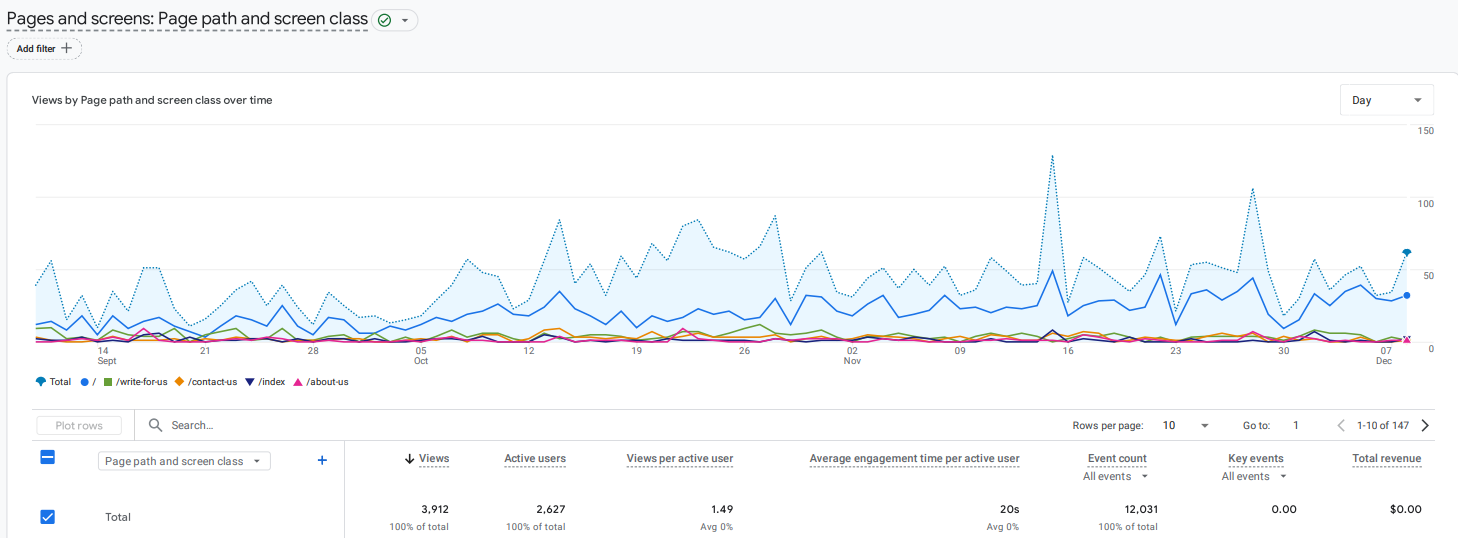
In GA4, you can find landing page data under:
Reports > Life Cycle > Engagement > Pages and Screens
You can filter the pages based on landing page data using custom dimensions or metrics.
6. Real-Time Report
If you’re running a campaign or event and want to see its immediate impact, the Real-Time Report is perfect. It gives you an overview of what’s happening on your website in real-time—how many people are active, what pages they’re visiting, and where they’re coming from.
Why it’s useful:
- Monitor Campaign Impact: See how your traffic spikes after launching a new campaign or promotion.
- Identify Issues Quickly: If something goes wrong, like a broken page or a traffic surge, you can see it right away and take immediate action.
- Track Social Media Campaigns: If you’re running a live social media campaign, this report lets you see how much traffic it’s driving in real-time.
The Real-Time report in GA4 is available under:
Reports > Real-Time
This provides up-to-the-minute data on what’s happening on your website.
Conclusion
Google Analytics is an invaluable tool for marketers, providing a wealth of data that can help improve your website’s performance. By regularly reviewing the Audience Overview, Acquisition, Behavior Flow, Conversion, Landing Page, and Real-Time reports, you’ll have a clearer picture of what’s working and what needs attention. Use these reports to refine your strategies and make more informed decisions, and you’ll soon see improvements in both traffic and conversions. With just a little bit of practice, Google Analytics will become an essential part of your marketing toolkit.