


If you’ve ever published a new blog post, updated a page, or launched a product on your website and eagerly waited for it to show up in Google search results, you’re not alone! It’s common to wonder how long it will take for Google to index your new content. The good news is that Google Search Console’s URL Inspection Tool can help you speed up this process and get your pages indexed faster. In this guide, we’ll walk you through how to use the URL Inspection Tool, why it’s important, and easy steps to help your content show up in search results more quickly.
What Is Google’s URL Inspection Tool?
The URL Inspection Tool in Google Search Console is a simple, yet powerful feature that helps you understand how Google sees your individual pages. It shows you whether a page is indexed, what data Googlebot has on that page, and if there are any issues preventing it from being indexed.
The best part? If Google hasn’t indexed a page yet, the URL Inspection Tool lets you request indexing. This can significantly speed up the process, especially for new pages or updates you want to show up in search results quickly.
Let’s dive into how you can use this tool to speed up indexing for your content.
Why Speed Up Indexing?
When you publish new content or make changes to an existing page, it’s important for that page to show up in Google search results as soon as possible. The faster Google indexes your page, the quicker users can find it. Plus, faster indexing can lead to:
- Better SEO performance: Your updated page will be indexed sooner, helping it rank in search results.
- Increased traffic: Once Google indexes your page, you can start driving traffic to it from search engines.
- Improved visibility: Faster indexing means your page will appear in search results when users search for related terms, giving it a chance to get noticed.
Step-by-Step Guide: How to Use URL Inspection to Speed Up Indexing
Now that you know why indexing is important, let’s go through the process of using Google Search Console’s URL Inspection Tool to speed up indexing.
Step 1: Sign Into Google Search Console
The first step is to log into your Google Search Console account. If you haven’t set up Search Console for your website yet, it’s a good idea to do so. You’ll need to verify ownership of your website to use the tool.
Once logged in, you’ll be taken to the Search Console dashboard where you can see key metrics and reports about your website’s performance.
Step 2: Locate the URL Inspection Tool
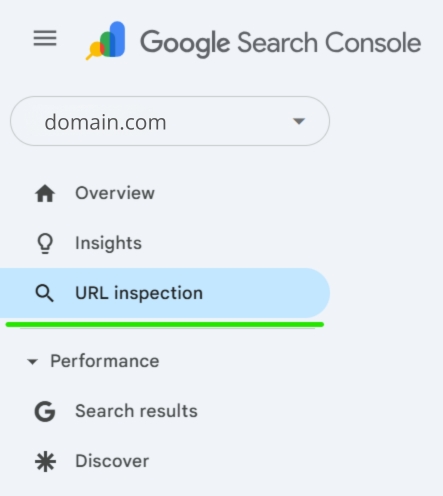
On the left sidebar of the dashboard, you’ll see a section called “Inspect URLs” or simply “URL Inspection”. Click on it to open the tool.
Step 3: Enter the URL You Want to Inspect
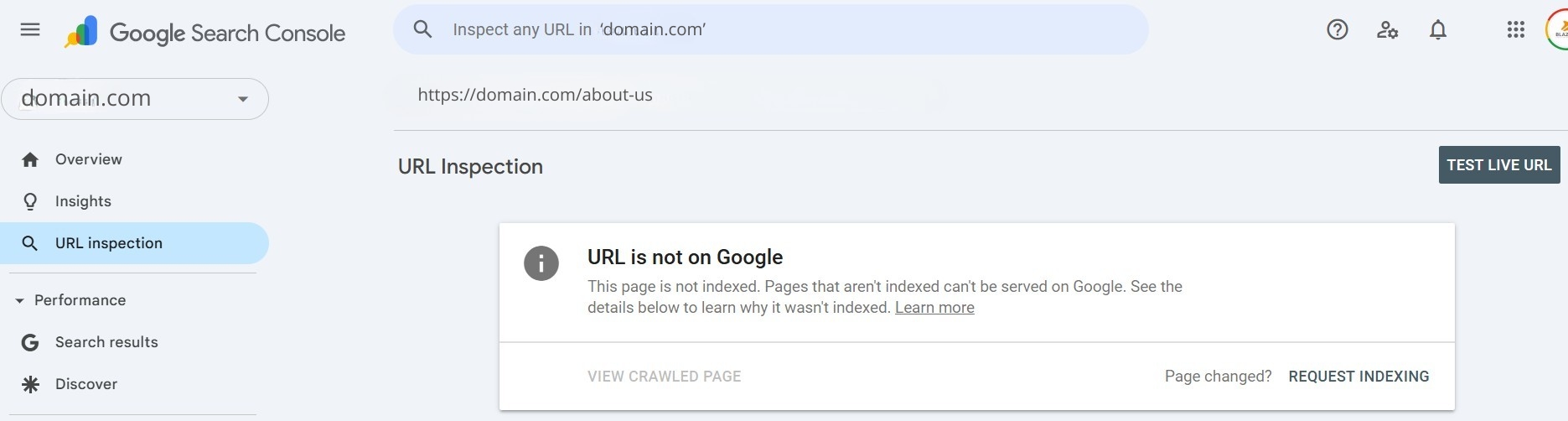
In the URL Inspection Tool, there’s a search bar at the top where you can enter the specific URL you want to inspect. This can be any page on your site, whether it’s a brand new post, a recently updated page, or an entirely new product page.

After entering the URL, hit Enter, and Google will begin analyzing the page. The tool will check to see if the page is already indexed and show you relevant details about how Google sees it.
Step 4: Check the Indexing Status
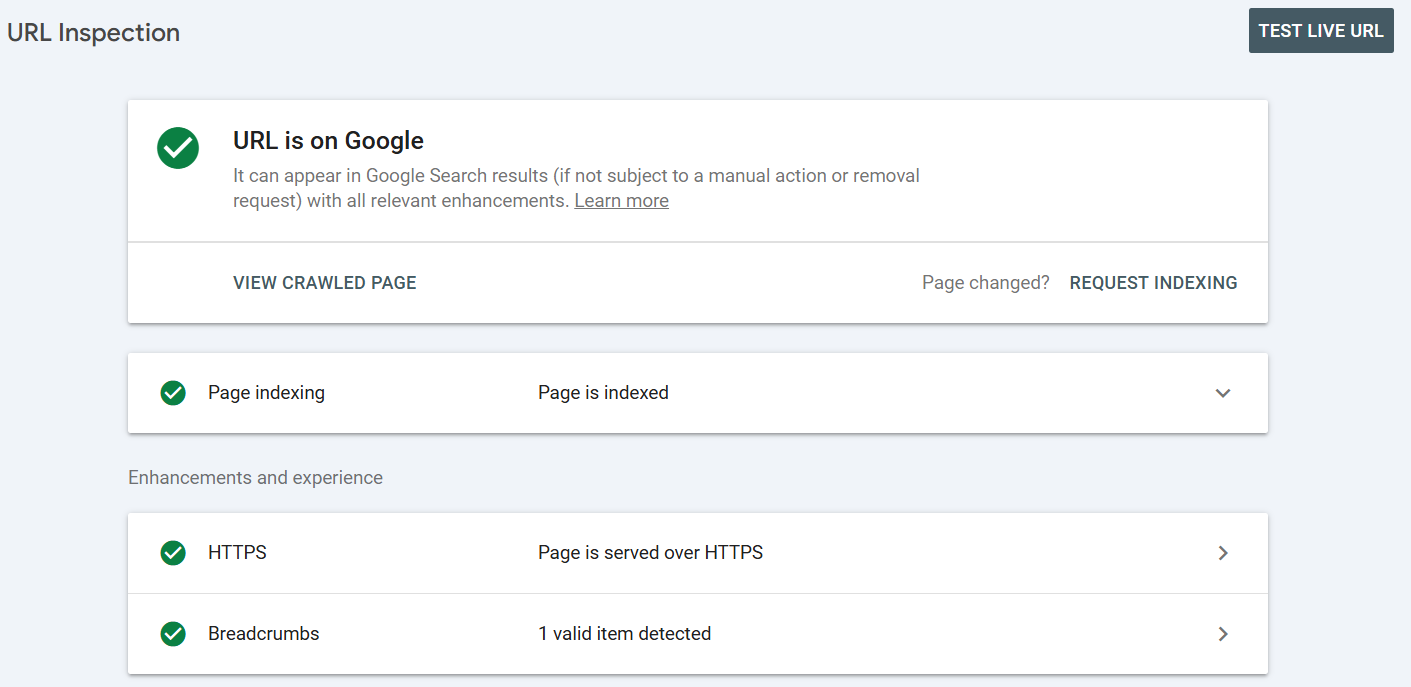
Once Google finishes inspecting the URL, you’ll see the results. There are a few key things to look for:
- “URL is on Google”: This means your page is already indexed. If it is, you don’t need to request indexing.
- “URL is not on Google”: If the page isn’t indexed yet, don’t worry! You can request indexing right from this page.
- Crawl Issues or Errors: If there are any issues, such as errors in the page’s code or problems with mobile usability, Google will show you what’s wrong here.
Step 5: Request Indexing (If Needed)
If your page isn’t indexed yet, or if you’ve made recent changes and want to update Google’s version of the page, click on the “Request Indexing” button. This tells Google to crawl your page and consider adding it to its index.
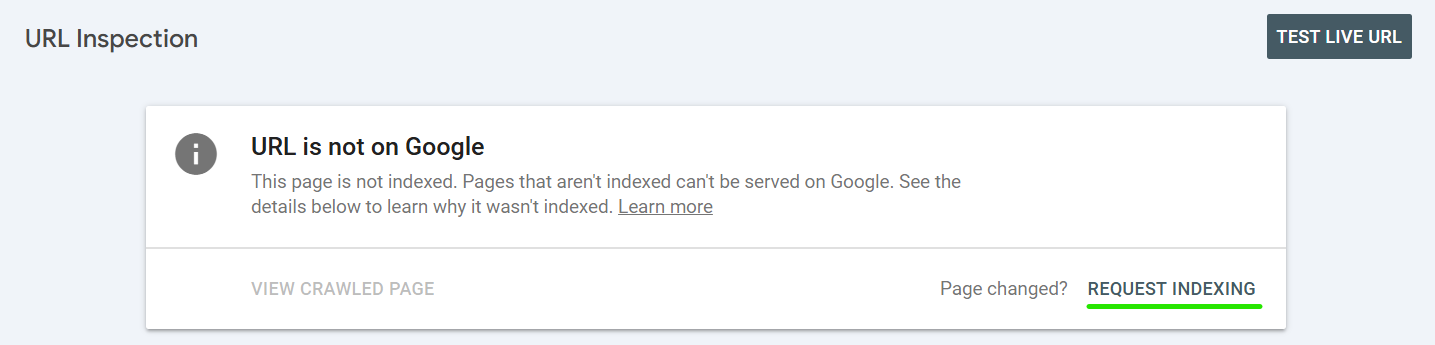
The Request Indexing button is easy to find once the URL has been analyzed. Simply click on it, and Google will begin the process of indexing your page. This can take anywhere from a few minutes to several hours, depending on various factors, like how often Googlebot crawls your site and the page’s importance.
Step 6: Monitor the Status
After you’ve requested indexing, you can keep an eye on your page’s status in Google Search Console. Check back after a few hours or days to see if the page has been successfully indexed. If you still don’t see it indexed, it might be worth checking for any errors or issues in Search Console.
Tips for Speeding Up Indexing
While the URL Inspection Tool is a great way to request indexing, there are other steps you can take to help Google crawl your page faster:
- Submit a Sitemap: Make sure you’ve submitted a sitemap through Google Search Console. A sitemap is like a map for Google, helping it find all the pages on your site.
- Internal Linking: Link to your new page from other pages on your site. This helps Google find the page quicker and can improve its chances of being indexed.
- Promote on Social Media: Sharing your new content on social media can also encourage Google to crawl it faster. Social signals can help speed up the process.
- Build Backlinks: If you can get external websites to link to your new page, it will encourage Google to crawl it more frequently.
Common Issues You Might Encounter
Sometimes, pages don’t get indexed as quickly as you’d like. Here are some common issues that can delay indexing:
- Blocked Pages: If your page is blocked by a noindex directive or a robots.txt file, Google won’t be able to index it. Make sure your page isn’t accidentally set to noindex.
- Crawl Errors: If there’s an error in the page’s code (such as broken links or missing images), Google might have trouble crawling the page. The URL Inspection Tool will point out any crawl issues, and you can fix them to speed up indexing.
- Duplicate Content: If your page has duplicate content or Google finds other similar pages, it may not index the page right away. Ensure your content is unique and valuable.
Final Thoughts
Google Search Console’s URL Inspection Tool is a simple yet powerful way to speed up the indexing process for your pages. Whether you’re launching new content or updating existing pages, using the tool to request indexing can help get your page in front of users faster, increasing your chances of ranking well in search results.
By following these easy steps and tips, you’ll be able to monitor and request indexing quickly and efficiently. Remember, indexing doesn’t happen instantly, but with Google Search Console’s help, you can improve your chances of getting your content noticed faster.